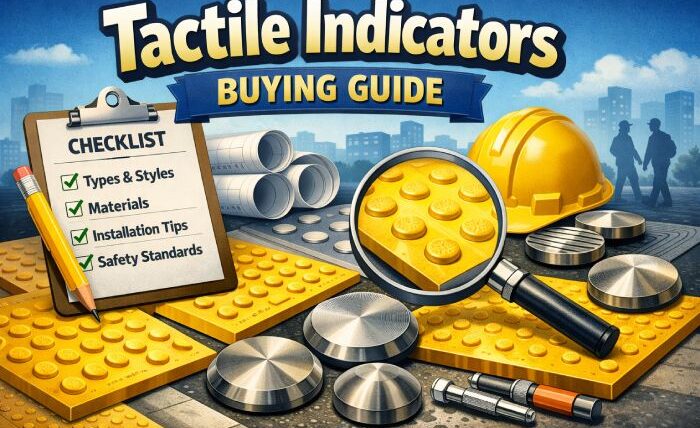
Tactile indicators, also known as tactile studs or tactile paving, are raised patterns installed on floors to help visually impaired and blind people navigate safely. These small but critical safety features guide users through public spaces, warn them of hazards, and indicate direction.
With the growing focus on accessibility under the Rights of Persons with Disabilities (RPwD) Act and the Accessible India Campaign, architects, contractors, and project managers are increasingly required to install high-quality tactile indicators in railway platforms, metro stations, airports, hospitals, malls, and commercial buildings.
What are Tactile Indicators?
Tactile indicators are standardized raised patterns installed on walking surfaces. They provide essential information through touch under the foot or with a white cane. A visually impaired person can feel these raised patterns while walking and understand whether to stop, turn, or continue in the same direction.
There are two main categories:
- Warning Tactile Indicators (Truncated Domes) — Alert users about hazards like platform edges, stairs, or road crossings
- Directional Tactile Indicators (Corduroy or Bar type) — Guide users along a safe walking path
Proper selection of material, size, and layout is critical for both safety and compliance with Indian accessibility standards.
Types of Tactile Indicators
Understanding the types is the first step in making the right purchase decision:
| Type | Shape | Purpose | Best Used At |
| Warning Tactile | Truncated Dome / Blister | To warn about danger ahead | Platform edges, staircases, ramps, pedestrian crossings |
| Directional Tactile | Corduroy / Bar | To guide walking direction | Pathways, corridors, entrances, metro stations |
| Hazard Tactile | Flat Top or Dome | To mark specific hazard points | Obstacles, lift doors, changes in floor level |
Most projects require both warning and directional tactile indicators installed together as a complete wayfinding system.
Stainless steel tactile vs other materials
This is the most important decision you will make. The wrong material choice leads to early replacement, wasted budget, and failed accessibility audits.
| Material | Durability | Anti-Slip | Maintenance | Best For |
| 304 Stainless Steel | Excellent | Very Good | Very Low | Railway platforms, airports, metro stations, high-traffic areas |
| Brass | Good | Good | Medium | Indoor luxury buildings |
| PVC / Polyurethane | Average | Good initially | High | Temporary setups only |
| Concrete / Ceramic | Poor in heavy traffic | Average | High | Low traffic areas |
Why stainless steel wins every time?
Durability: 304 grade stainless steel withstands heavy footfall from thousands of people daily. Railway platforms and metro stations see 50,000+ footsteps per day on tactile surfaces. Only stainless steel survives this without degradation.
Weather Resistance: Indian conditions include extreme humidity, monsoon rains, direct sunlight, and temperature swings from 5°C to 48°C. Stainless steel handles all of this without rusting, cracking, or fading.
Maintenance: Zero maintenance required. PVC tactile needs frequent replacement. Concrete tactile cracks and chips. Brass tarnishes and requires polishing. Stainless steel just works with no attention.
Key factors to consider while buying tactile indicators
Material Grade
Always choose 304 grade stainless steel. Never accept 202 grade. 202 grade contains less nickel and will show rust spots quickly in Indian humid and outdoor conditions. 304 grade provides long-lasting rust-free performance.
For projects near coastal areas or chemical exposure zones, consider upgrading to 316 grade which offers even higher corrosion resistance.
Surface Finish
Satin or brushed finish is preferred over mirror polish. A satin finish provides better grip underfoot and does not become slippery when wet. Mirror polished tactile studs look good on the day of installation but become dangerously slippery within months of foot traffic wearing down the surface.
Fixing Method
There are two main installation methods:
- Drill Fix — Most permanent and recommended method. Stud is inserted into a drilled hole with adhesive or mechanical anchor. Best for new construction and heavy traffic areas.
- Surface Mount / Adhesive Fix — Applied on top of existing floor surface using industrial adhesive. Best for retrofitting existing buildings where drilling is not possible.
Drill fix is always recommended for outdoor and high-traffic installations. Surface mount should only be used when drilling is genuinely not possible.
Compliance with Standards
Every tactile indicator you purchase must comply with:
- IS 15636 — Indian Standard for Tactile Ground Surface Indicators
- NBC 2016 — National Building Code accessibility requirements
- CPWD Guidelines — Central Public Works Department specifications
- RPwD Act 2016 — Legal requirement for accessibility in public buildings
Dome Height and Diameter
As per IS 15636:
- Standard stud diameter: 25mm (±2mm)
- Standard dome height: 4.5mm to 5mm
- These dimensions are not optional. Non-compliant studs will fail accessibility audits.
Load Bearing Capacity
Your tactile studs must withstand:
- Heavy pedestrian footfall (50,000+ steps per day on platforms)
- Cleaning machines and floor scrubbers
- Luggage trolley wheels (airports and stations)
- Wheelchair traffic
Cheap plastic or PVC studs crack under these loads within months. Only stainless steel handles this consistently.
Where should Tactile Indicators be installed?
Tactile indicators are required at every location where visually impaired persons may encounter a hazard or need directional guidance:
- Railway and metro platforms – Warning tactile along platform edge
- Bus terminals and airports – Directional tactile guiding to gates and exits
- Staircases and ramps – Warning tactile at top and bottom
- Pedestrian crossings – Warning tactile at road edges
- Hospital entrances and corridors – Directional and warning tactile
- Shopping malls and commercial buildings – Directional tactile to lifts and exits
- Public toilets – Directional tactile guiding to accessible toilets
- Swimming pool areas – Warning tactile near pool edges
- Government buildings – Mandatory under RPwD Act
Common buying mistakes to avoid
202 grade rusts quickly and needs complete replacement. You end up spending 3x more in the long run compared to buying 304 grade from the start.
Buying non-standard sizes
Some cheap suppliers sell 20mm or 22mm diameter studs instead of the standard 25mm. These will fail accessibility audits and need to be replaced entirely.
No compliance certificate
Always ask for IS 15636 compliance certificate. Without this document, your entire installation can be rejected during government inspection.
Ignoring the fixing method
Choosing adhesive fix for outdoor railway platforms or high-traffic areas leads to studs popping off quickly. Always use drill fix for permanent outdoor installations.
Buying without technical support
Tactile indicator installation requires precise layout planning with correct spacing and placement. Buy from a manufacturer who provides free technical guidance and layout drawings.
Final buying checklist for Architects and Contractors
Before placing your order, verify every item on this list:
- Material is 304 grade stainless steel (not 202 or mild steel)
- IS 15636 compliance certificate available
- Dome height is 4.5mm to 5mm
- Stud diameter is 25mm (±2mm)
- Surface finish is satin or brushed (not mirror polish)
- Correct type selected (Warning or Directional or both)
- Fixing method decided (Drill fix or Surface mount)
- Quantity calculated based on layout and spacing requirements
- Manufacturer provides technical installation support
- Test reports and load capacity documentation available